-
- 20 x
-
https://torno.lv/xbUqrSj
For the past several years, it`s hard to imagine our lives without the Internet. Everyone has so many devices that it`s very difficult to imagine a home without a WiFi router.
But nothing is perfect, and we want better WiFi speed. We`ll tell you about a little trick that will protect you from signal interruptions right now.
Continuation of the article
How to restart the router
You can think of a router as a mini computer: it also has memory, a processor, and an operating system. But that means it also needs to be restarted from time to time. Usually, providers assign a temporary IP address to each of your personal devices so they can receive and send data. Permanent ones are quite expensive and are usually used by organizations.
Therefore, the IP address of your smartphone or laptop can change at any moment. And if the router misses such a change, it won`t be able to establish a network connection. So, in those moments, you can`t do without restarting.
Considering that you`re connecting more and more devices to the network, smartphones, Smart TVs, security system devices with WiFi connection – the router you bought 2 years ago is operating at the limits of its capabilities.
In case of network overload, the router may run out of memory, or it will start to slow down until the whole system hangs. With built-in memory less than 1 GB, an ordinary wireless router simply can`t handle such a flow of network requests. But a quick restart frees up memory from unnecessary information.
Ways to restart the router
1. Restarting with the power button
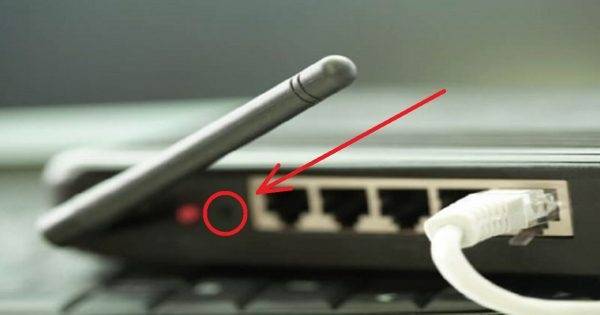
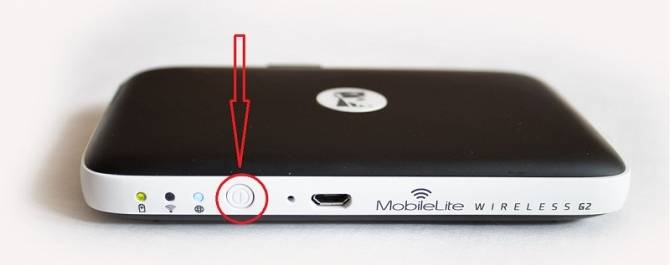
On the back panel of most ADSL modems and WiFi routers, there is a small protruding Power or On/Off button. You need to press it and release – this action will turn off the router. After 30-40 seconds, press it again and release to turn it on.
You can also unplug and plug in the power supply, but that might change the settings. And restoring them will take some time.
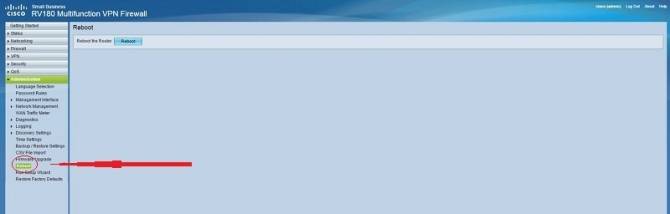
2. Through the web interface
This is the most correct way from a hardware perspective. But it will take much more time. On the other hand, when there is no physical access to the router, this is the only way to restart it.
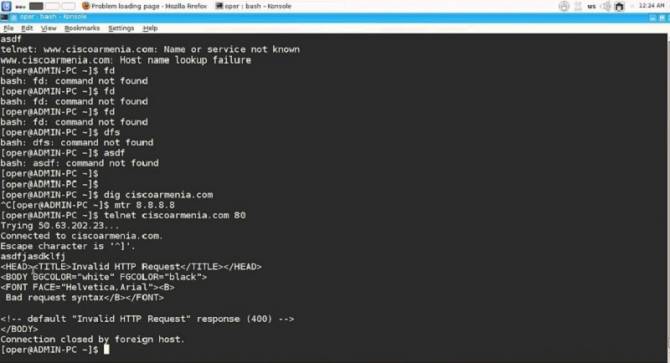
3. Restarting the router via telnet
Any ADSL modem, WiFi router, or terminal is, first and foremost, as already mentioned, a mini computer with its own operating system where the necessary services are set up. One of them is telnet. It`s a special protocol that allows you to control the device remotely from a computer via the command line.
To connect on computers with Windows XP, press the Win+R key combination and in the `Open` field enter the command: telnet IP-address. And press the `OK` button. With Windows 7 or Windows 8, it`s a bit more complicated because telnet is not installed by default. To avoid fiddling with its setup, it`s enough to download a small program Putty or its clone - Kitty.
If your router currently only needs a restart to return to normal state, you can automate this task by buying an adapter with a timer. Connect it to the power grid and set the time when it will restart the router every day. For example, when everyone is asleep.
See how simple it all turns out to be! Share the information with friends, it will be useful for them too!
Liked what you saw? Recommend to friends
Next post